Best USB-C Hubs & Docking Stations (2026): Expand Your Laptop Easily
Modern laptops arrive with frustratingly few ports—often just two USB-C connections. This minimalism creates daily inconvenience when you need to connect monitors, drives, keyboards, and charge simultaneously. Finding the best usb c hub for laptop use transforms a port-starved machine into a versatile workstation.
This guide explores top laptop connectivity solutions across every budget. We’ll provide multi port adapter review insights, compare usb c hub macbook compatibility, recommend docking station singapore options, settle the thunderbolt hub vs usb c debate, and help you choose the perfect expansion solution.
USB-C Hub vs Docking Station: Understanding the Difference
Before exploring specific products, understanding hub versus docking station differences matters for making the right choice.
USB-C Hubs:
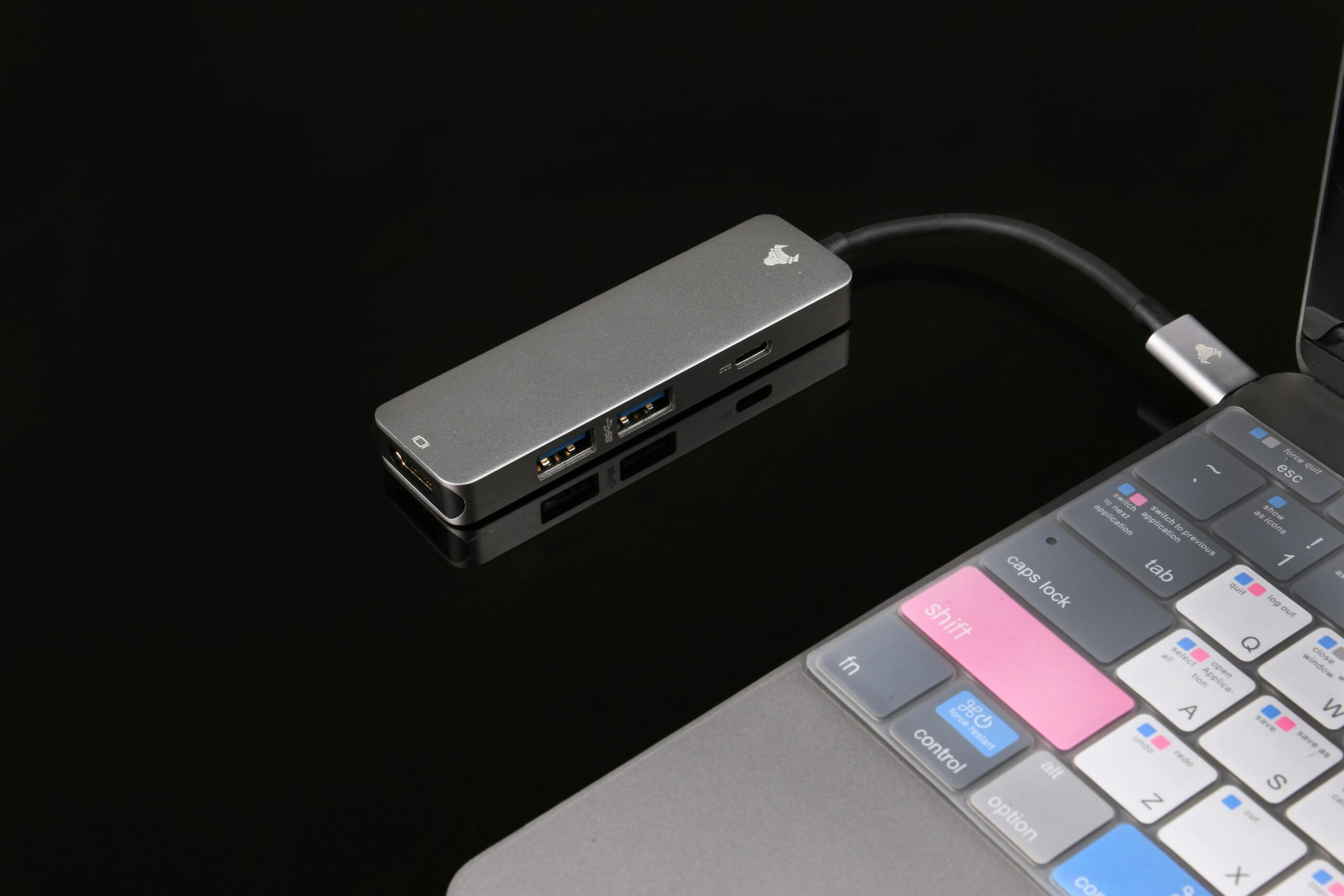
Portable hubs are compact, lightweight dongles that add 5-10 ports through your laptop’s USB-C connection. They cost S$40-150, require no external power (power delivery models passthrough your laptop’s charger), and excel for travel or hot-desking. They’re laptop connectivity solutions that move with you.
Docking Stations:
Docking stations are larger desktop units with dedicated power supplies, extensive port arrays (10-16 ports), and superior charging capabilities. They cost S$300-600+, remain permanently on your desk, and transform laptops into complete desktop replacements. Best for dedicated home offices or permanent workstations.
Which to Choose: For portability, frequent travel, or budget constraints, choose USB-C hubs. For permanent desk setups, extensive peripherals, or charging laptops over 85W, choose docking stations.
Thunderbolt Hub vs USB C: The Critical Difference
The thunderbolt hub vs usb c debate confuses many buyers, but the distinction significantly impacts functionality.
USB-C Hubs (USB 3.2/4.0):
Standard USB-C hubs use the USB protocol, offering speeds of 5-10 Gbps (some reach 20-40 Gbps with USB4). They work with virtually all USB-C laptops, support single 4K displays (some dual displays with compression), and cost less. Most Windows laptops and many MacBooks work perfectly with USB-C hubs.
Thunderbolt Hubs (Thunderbolt 3/4):
Thunderbolt hubs use Intel’s proprietary protocol offering 40 Gbps bandwidth. They support daisy-chaining multiple devices, drive multiple 4K displays natively without compression, and deliver faster data transfer to high-speed SSDs. However, they cost 2-3x more and require Thunderbolt-compatible laptops (Intel Macs, Windows laptops with Thunderbolt certification).
Verdict: Unless you need multiple 4K displays, have Thunderbolt-compatible devices, or transfer massive files constantly, standard USB-C hubs provide better value. Most users’ needs don’t justify Thunderbolt’s premium pricing.
Best Overall: Anker 555 USB-C Hub (8-in-1)
The Anker 555 earns our recommendation as the best usb c hub for laptop for most users, balancing comprehensive ports with reliable performance.
Key Features:
- 8 ports: 4K HDMI (60Hz), 100W USB-C PD, 2x USB-A 3.2 (10Gbps), 1x USB-C data (10Gbps), Ethernet, SD/microSD
- Power delivery: 100W input, 85W passthrough to laptop
- Build: Aluminum construction with heat dissipation
- Compatibility: MacBook Pro/Air, Dell XPS, HP, Lenovo, Surface
- Price: Approximately S$90-120
Why It Excels:
The 555 delivers everything most professionals need without unnecessary extras that inflate price. The 4K HDMI at 60Hz provides smooth external monitor performance—crucial for productivity. The 10Gbps USB ports handle fast external SSDs efficiently, while Gigabit Ethernet ensures stable internet for video calls.
The 85W power passthrough charges most laptops while using the hub, though 15-16 inch gaming laptops may need supplemental power. For typical 13-14 inch business laptops, it provides full charging capability.
Both SD and microSD slots work simultaneously—valuable for photographers transferring from multiple cameras. The aluminum construction dissipates heat effectively, preventing thermal throttling during sustained use.
For Singapore’s remote workers, digital nomads, and professionals needing reliable daily expansion, the Anker 555 represents exceptional value.
Best USB C Hub MacBook: Satechi USB-C Multiport Adapter V2
MacBook users need the Satechi USB-C Multiport Adapter V2, designed specifically as the best usb c hub macbook option with Mac-optimized features.
MacBook-Optimized Features:
- 7 ports: 4K HDMI (60Hz), 60W USB-C PD, 2x USB-A 3.0, USB-C data, Ethernet, SD/microSD
- Color options: Space Gray, Silver, matching MacBook finishes
- Mac-first design: Optimized display output, native macOS compatibility
- Price: S$100-130
Why MacBook Owners Choose It:
The Satechi’s color-matched aluminum matches MacBook aesthetics perfectly, maintaining the premium look Apple users expect. The 60W power delivery perfectly suits MacBook Air and 13-inch MacBook Pro models, providing full-speed charging while using all ports.
The HDMI implementation works flawlessly with macOS’s display handling—no driver installations or compatibility issues common with cheaper hubs. For Singapore’s substantial MacBook user base, this plug-and-play reliability justifies the slight premium.
The compact, slim design slides easily into laptop bags without adding bulk. Our multi port adapter review testing found the Satechi delivered consistently fast data transfers and stable video output across extended use periods.
Best Budget Option: UGREEN Revodok 105 (5-in-1)
For the best value multi port adapter review category under S$50, the UGREEN Revodok 105 delivers essential expansion affordably.
Budget Specifications:
- 5 ports: 4K HDMI (60Hz), 100W USB-C PD, 2x USB-A 3.0, SD card reader
- Compact design: Credit card-sized
- Speeds: 5 Gbps USB-A ports
- Price: S$35-45
Value Proposition:
The Revodok 105 focuses on core essentials—external display, charging, USB peripherals, and SD cards—without extras that increase cost. The 4K@60Hz HDMI handles modern displays properly, while 5 Gbps USB-A ports suit most peripherals adequately (mice, keyboards, printers).
For Singapore students, budget-conscious workers, or anyone wanting basic expansion without premium features, this represents intelligent spending. The 100W power delivery passthrough ensures reliable laptop charging despite the low price.
Best for Multiple Displays: Baseus 12-in-1 USB-C Hub
Content creators and productivity enthusiasts needing multiple monitors should choose the Baseus 12-in-1 USB-C Hub.
Multi-Display Features:
- 12 ports: Dual 4K HDMI (60Hz), DisplayPort, 3x USB-A 3.0, USB-C data, SD/microSD, Ethernet, 100W PD, 3.5mm audio
- Triple display support: Windows laptops with AMD/NVIDIA graphics
- Laptop stand design: Raises laptop for ergonomics
- Price: S$110-140
Productivity Advantages:
The dual HDMI ports (both 4K@60Hz) plus DisplayPort enable true triple-monitor setups on compatible Windows laptops—transformative for traders, designers, or anyone managing multiple applications simultaneously.
The integrated laptop stand design elevates your screen while providing port access underneath, improving ergonomics without requiring separate stands. For Singapore’s work-from-home professionals setting up permanent desk stations, this combination of features provides excellent value.
Note: macOS limits external displays through USB-C hubs due to operating system restrictions, typically supporting only one or two displays depending on the MacBook model.
Best Premium Docking Station Singapore: CalDigit TS4 Thunderbolt 4 Dock
For users needing the ultimate docking station singapore offers, the CalDigit TS4 Thunderbolt 4 Dock delivers professional-grade connectivity.
Professional Specifications:
- 18 ports: 3x Thunderbolt 4, 5x USB-A, USB-C, DisplayPort, 2.5G Ethernet, SD/microSD, 3.5mm audio in/out
- Power delivery: 98W to laptop
- Display support: Dual 6K or single 8K display
- Price: S$550-650
Why Professionals Invest:
The TS4 represents a permanent desk solution replacing multiple adapters and cables with a single connection. The 98W power delivery handles even 16-inch MacBook Pros at full charging speed, while three Thunderbolt 4 ports support daisy-chaining high-speed devices.
The 2.5G Ethernet provides faster-than-gigabit networking for large file transfers or bandwidth-intensive applications. For Singapore’s creative professionals, engineers, or power users with extensive peripheral setups, the TS4 eliminates connectivity compromises.
While expensive, it replaces multiple cheaper hubs that clutter desks and create stability issues. One premium dock proves more reliable than juggling several budget solutions.
Best Value Docking Station: Anker 577 Thunderbolt Docking Station
For those wanting docking station singapore quality without flagship pricing, the Anker 577 Thunderbolt Docking Station offers compelling value.
Value Docking Features:
- 13 ports: Thunderbolt 4, 4x USB-A, 2x USB-C, HDMI, Ethernet, SD/microSD, 3.5mm audio
- 85W laptop charging
- Dual 4K@60Hz display support
- Price: S$350-400
Balanced Performance:
The 577 provides 80% of premium dock functionality at 60% of the cost. The 85W charging suits most laptops (excluding heavy gaming machines), while dual 4K@60Hz support handles typical professional display needs.
For Singapore’s remote workers establishing permanent home offices without unlimited budgets, this represents the sweet spot between portable hubs and flagship docks.
Singapore Shopping Considerations
When purchasing laptop connectivity solutions in Singapore:
Where to Buy: Challenger, Courts, Lazada, Shopee, Amazon Singapore stock quality hubs. Official brand stores (Anker, Satechi) offer warranty confidence. Compare prices across platforms—sales events provide significant discounts.
Power Delivery Needs: Singapore uses 230V power. Ensure your hub’s power delivery matches your laptop’s requirements. MacBook Air/13-inch: 60W sufficient. 15-16 inch laptops: 85-100W needed.
Warranty: Prioritize authorized dealers offering local warranty. Parallel imports save money but complicate support and replacements.
Compatibility Verification: Check your laptop’s USB-C port specifications. Not all USB-C ports support video output (DisplayPort Alt Mode) or power delivery. Verify before purchasing.
The Bottom Line
The best usb c hub for laptop depends on your specific needs and budget. For most users, the Anker 555 8-in-1 Hub delivers comprehensive expansion with reliable performance at reasonable pricing. MacBook users benefit from the Satechi Multiport Adapter V2’s optimized compatibility and color-matched design, making it the best usb c hub macbook option.
Budget shoppers find excellent value in the UGREEN Revodok 105’s essential features at under S$50. Our multi port adapter review testing confirms these portable solutions handle typical professional workflows excellently.
For permanent desk setups requiring extensive ports, the CalDigit TS4 represents the premium docking station singapore professionals choose, while the Anker 577 provides docking station capabilities at mid-range pricing.
Understanding thunderbolt hub vs usb c differences prevents overspending on features you won’t use—standard USB-C hubs suit most users perfectly. Effective laptop connectivity solutions transform port-limited laptops into versatile workstations, enabling productivity wherever you work.
Take action today: List your essential ports (HDMI, USB-A, Ethernet, SD), determine your laptop’s charging requirements, set your budget, and choose a hub matching these parameters. Quality expansion transforms laptop frustration into seamless connectivity.