
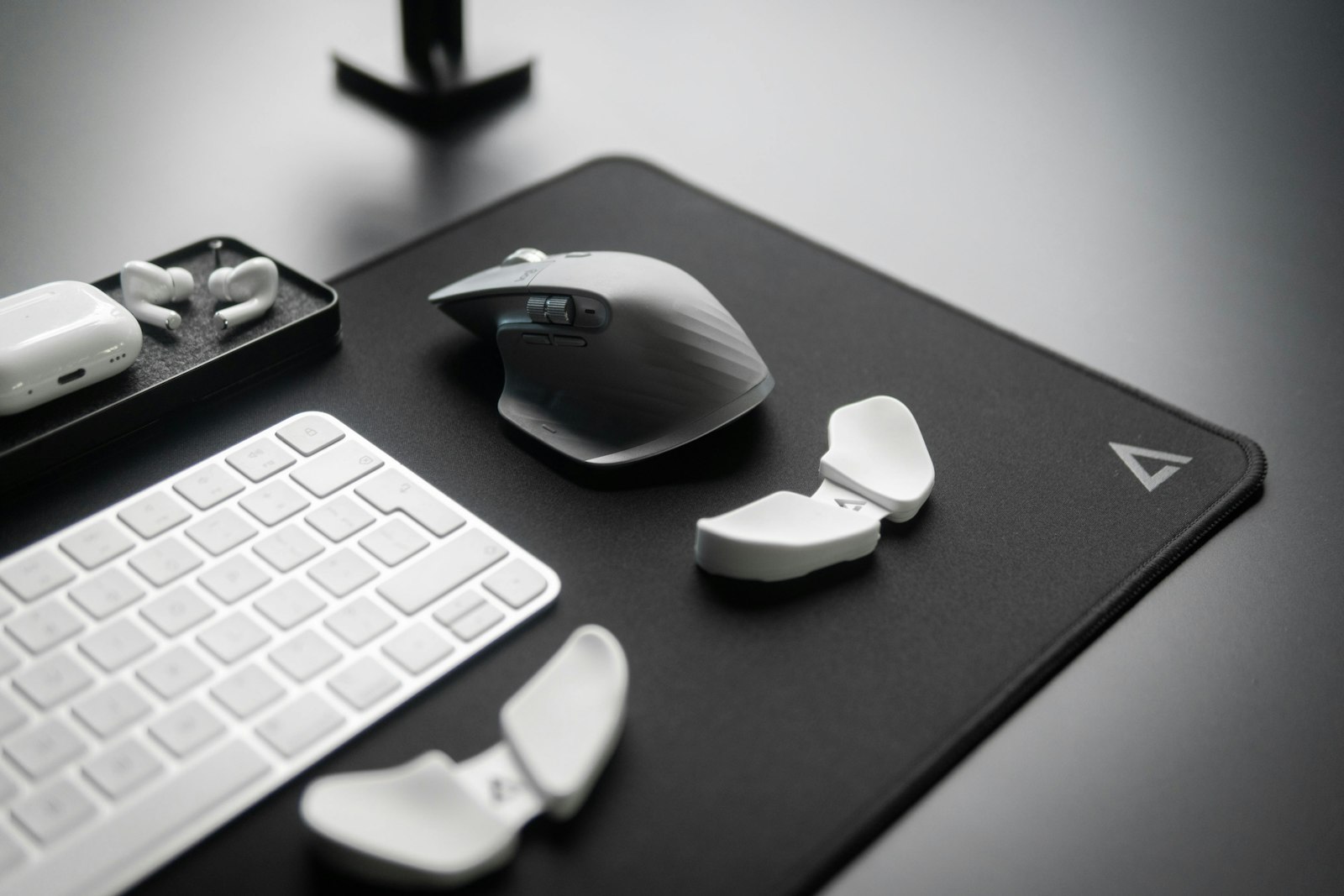
Best Wireless Mice in Singapore for Work and Productivity
The mouse that came free with your desktop or laptop bundle will do the job. It will not do it comfortably for eight hours a day. If you spend most of your working day in spreadsheets, email, browser tabs and video calls, a better wireless mouse is one of the cheapest upgrades you can make to your setup.
This guide groups the best wireless mice sold in Singapore by what you actually need: heavy multitasking, working on the move, a quiet budget pick, wrist comfort, work-and-play, and Mac use. Every model below is sold through official brand stores or major local retailers such as Challenger, Courts and Harvey Norman. Prices are approximate at the time of writing and change often during sales, so check the retailer before you buy.
The entries are numbered across the whole article, so you can compare them easily. A short spec table and a buying checklist follow the profiles.
For power users and heavy multitaskers
These are full-size mice with extra buttons, fast scroll wheels and software that lets you set shortcuts per app. They suit people who live in Excel, design tools or many windows at once.
1. Logitech MX Master 4
What it is
Logitech’s newest flagship productivity mouse, launched in late 2025 to replace the MX Master 3S. It keeps the familiar sculpted right-handed shape and adds a haptic feedback panel under your thumb, plus an “Actions Ring” that pops up a menu of shortcuts at your cursor. The 8,000 DPI sensor tracks on almost any surface, including glass at least 4 mm thick, and the MagSpeed electromagnetic wheel can spin through long documents very quickly.
Why buyers rate it
The appeal is control. Through the Logi Options+ app you can set different button actions for Excel, Chrome, Photoshop or Zoom, and the haptics give a small physical tap for actions such as snapping objects into place. Logitech also says the clicks are much quieter than the older MX Master 3. A one-minute USB-C charge gives about three hours of use.
What buyers say
One reviewer on Best Buy’s US site wrote, “the charge lasts literally forever!” Another warned, “It’s not small. If you have smaller hands, it may feel bulky.”
Worth knowing
At around 150 g it is heavier than most mice here. The haptics and Actions Ring need Logi Options+, which runs on Windows and macOS only. A “for Business” version comes with a Logi Bolt USB receiver for offices that prefer not to use Bluetooth.
Best for
Office workers, analysts and creatives with medium to large hands who want the most customisable mouse available.
- Pros: excellent scroll wheel, deep per-app customisation, quiet clicks, fast USB-C charging.
- Cons: bulky for small hands, right-handed only, premium price.
- Approx. price: RRP S$199; seen at about S$150–S$175 at local retailers at the time of writing.
Logitech MX Master 4 official product page
2. Logitech MX Master 3S
What it is
The previous flagship, and still widely stocked in Singapore. It has the same basic shape as the MX Master 4, an 8,000 DPI track-on-glass sensor, the MagSpeed wheel, a thumb wheel for sideways scrolling and Quiet Clicks. Logitech rates it at up to 70 days per full charge, with three hours from a one-minute quick charge.
Why buyers rate it
You get most of what makes the MX Master 4 good, minus the haptics and Actions Ring, often for noticeably less money. Logitech’s Flow feature lets you move the cursor across two or three computers on the same network, and copy and paste between them, which is useful if you run a work laptop and a personal PC side by side.
What buyers say
One reviewer on Best Buy’s US site wrote, “It’s comfortable. I love the wide array of options for the programmable buttons.” Another noted, “it just doesn’t fit the hands, which are on the smaller side.”
Worth knowing
Check which edition you are buying. Harvey Norman lists a “Bluetooth Edition”, and Logitech sells a separate “for Mac” version. If you want to use a USB receiver, confirm one is included before you pay. It weighs about 141 g.
Best for
Anyone who wants a flagship-class work mouse at a lower price and does not need haptics.
- Pros: proven design, long battery life, good value when discounted.
- Cons: large and heavy, editions can be confusing, now an older model.
- Approx. price: about S$139–S$169 at the time of writing (Logitech SG lists S$169; Harvey Norman has listed it for S$139).
Logitech MX Master 3S official product page
For hybrid workers and laptop bags
If you split your week between home, the office and a café near the MRT, a compact mouse that survives being thrown into a bag matters more than extra buttons.
3. Logitech MX Anywhere 3S
What it is
A compact mouse from Logitech’s MX range. It is about 100 mm long and weighs 99 g, yet keeps the MagSpeed wheel and an 8,000 DPI sensor that tracks on glass. It pairs with up to three devices over Bluetooth and is compatible with a Logi Bolt receiver, though Challenger’s listing notes the receiver is not included.
Why buyers rate it
It brings premium scrolling and quiet clicks to a size that fits a laptop sleeve. Battery life is rated at up to 70 days per charge, with three hours from one minute of USB-C charging, so a flat battery before a meeting is easy to fix.
What buyers say
One reviewer on Best Buy’s US site wrote, “It operates very smoothly on any surface.” Another was less sure about value: “But it’s not cheap for what you get.”
Worth knowing
There is no thumb wheel, and some buyers with large hands find it too small for all-day desk use. It has six buttons in total, with back and forward buttons on the side.
Best for
Hybrid workers who want one premium mouse for both the office and the road.
- Pros: very portable, works on glass café tables, fast scrolling, quiet.
- Cons: small for big hands, receiver often sold separately.
- Approx. price: RRP S$139; about S$93–S$110 at Challenger and Harvey Norman at the time of writing.
Logitech MX Anywhere 3S official product page
4. Logitech Pebble Mouse 2 M350s
What it is
A slim, round, ambidextrous Bluetooth mouse that weighs about 76 g with its AA battery. It switches between up to three devices with one button, has silent clicks, and the middle button can be customised in Logi Options+. Courts lists a DPI range of 400–4,000 and battery life of about 24 months on one AA battery.
Why buyers rate it
It is light, quiet and cheap, and it slides into a shirt pocket. It works with Windows, macOS, iPadOS, ChromeOS and Android, so it doubles as a mouse for a tablet.
What buyers say
One reviewer on Best Buy’s US site wrote, “Love this mouse. Flat and quiet. Just what I was looking for.” Another was candid: “It may not be ergonomic at all.”
Worth knowing
The flat shape gives little palm support, so it is better as a travel or occasional mouse than as your main eight-hour mouse. It connects by Bluetooth out of the box; a Logi Bolt receiver is sold separately.
Best for
Students, frequent travellers and anyone who wants a second mouse for the bag.
- Pros: very light, long AA battery life, quiet, ambidextrous.
- Cons: not ergonomic for long sessions, basic button set.
- Approx. price: RRP S$49; about S$30–S$34 at Courts and Harvey Norman at the time of writing.
Logitech Pebble Mouse 2 M350s at Courts
For quiet offices on a budget
Open-plan offices and shared HDB study rooms reward a quiet mouse. You do not need to spend a lot to get one.
5. Logitech Signature M650
What it is
A mid-priced everyday mouse with silent clicks, rubber side grips and a “SmartWheel” that switches between line-by-line scrolling and free spinning with a flick. It connects through Bluetooth Low Energy or a Logi Bolt USB receiver, and it runs for up to two years on a single AA battery, according to Logitech’s listing details.
Why buyers rate it
It comes in three sizes: the standard M650 for small to medium hands, the M650 L for large hands, and the M650 L Left for left-handers. That makes it one of the easiest mice to get a good fit with at this price. The two side buttons can be customised in Logi Options+.
What buyers say
One reviewer on Best Buy’s US site wrote, “The silent clicks are a great feature, especially in quiet environments.” Another said it is “the most comfortable mouse I have ever used.”
Worth knowing
It uses a standard optical sensor, not the track-on-glass sensor of the MX models, so use a mouse mat on glass desks. It runs on an AA battery rather than USB-C charging, which some people prefer because there is nothing to remember to charge.
Best for
Office workers and SMEs buying mice for a whole team on a modest budget.
- Pros: very quiet, three sizes including left-handed, long battery life, low price.
- Cons: no glass tracking, fewer buttons than the MX range.
- Approx. price: RRP S$54; about S$35–S$52 at Courts, Challenger and other retailers at the time of writing.
Logitech Signature M650 official product page
For wrist comfort
If your wrist or forearm aches at the end of the day, a vertical mouse changes your hand position rather than just adding padding.
6. Logitech Lift Vertical Ergonomic Mouse
What it is
A vertical mouse that holds your hand at a 57° angle, in what Logitech calls a natural handshake position. It is designed for small to medium hands and comes in a left-handed version. It has quiet clicks, a SmartWheel and four customisable buttons, and it connects through Bluetooth or a Logi Bolt receiver. Harvey Norman lists battery life of up to two years on an AA battery.
Why buyers rate it
It is a gentler introduction to vertical mice than a fully upright design, so the learning curve is shorter. It also costs much less than many dedicated ergonomic brands.
What buyers say
One reviewer on Best Buy’s US site wrote, “It takes some getting used to. I do like the customization of the mouse.” Another noted, “Only thing is that its a little tall so sometimes my hand knocks into it”.
Worth knowing
Allow a week or two to adjust. People with large hands should try it in a store first, since Logitech sizes it for small to medium hands. A mouse alone will not fix poor posture; pair it with a chair and desk at the right height. If pain continues, see a doctor or physiotherapist.
Best for
Desk workers with wrist or forearm strain who want to try a vertical mouse without spending a lot.
- Pros: more natural wrist angle, quiet, left-handed option, good price.
- Cons: takes time to adjust, not sized for large hands, no glass tracking.
- Approx. price: RRP S$119; about S$82–S$99 at Courts, Harvey Norman and FairPrice’s marketplace at the time of writing.
Logitech Lift official product page
For work by day and games by night
7. Razer Pro Click V2
What it is
Razer’s productivity mouse, built on gaming hardware. It uses Razer’s Focus Pro 30K optical sensor, has up to nine programmable controls through Razer Synapse, and switches between up to five devices with a dedicated button. Razer rates the battery at up to 3.5 months. The scroll wheel can switch between tactile and free-spin modes, and Harvey Norman’s listing describes a 30° tilt to ease wrist strain.
Why buyers rate it
It gives you a gaming-grade sensor and fast response in a shape built for long workdays, so one mouse can cover spreadsheets in the day and casual gaming at night. Holding the scroll wheel for a second opens Razer’s “AI Prompt Master” shortcut, if you use AI tools often.
What buyers say
We could not find buyer review text for this model on a retailer page during our research, so we have not quoted any. If you can, try it in a Razer or Harvey Norman store before buying.
Worth knowing
It has RGB underglow lighting, which some offices may find distracting; lighting is managed in Razer Synapse. Customisation uses Razer Synapse rather than Logitech’s app, so it will not join a Logitech Flow setup.
Best for
People who want one mouse for both work and gaming, or who already use other Razer gear.
- Pros: high-end sensor, five-device switching, many programmable controls.
- Cons: gamer styling, separate software, right-handed only.
- Approx. price: about S$134–S$149 at the time of writing (Razer SG and Harvey Norman).
Razer Pro Click V2 official product page
For Mac users
8. Apple Magic Mouse (USB-C)
What it is
Apple’s own wireless mouse, now with a USB-C port. The whole top surface is touch-sensitive, so you can swipe between pages and scroll with gestures. Apple says the battery lasts about a month or more between charges, and it pairs automatically when you connect it to your Mac with the included cable.
Why buyers rate it
It is the most seamless option for macOS. Gestures such as swiping between full-screen apps work without extra software, and its thin, minimal design matches Apple’s keyboards and iMacs.
What buyers say
One reviewer on Best Buy’s US site pointed out the best-known drawback: “the charging port on the bottom means you can’t use it while charging”. Another said, “This mouse is odd. It doesn’t feel great in the hand.”
Worth knowing
The low, flat shape is not ergonomic for long days. The current model needs macOS 15.1 or later, or iPadOS 18.1 or later, according to Apple. Windows users should look elsewhere on this list.
Best for
Mac users who value gestures and a clean look over long-session comfort.
- Pros: excellent gestures on macOS, slim design, auto-pairing.
- Cons: can’t be used while charging, flat shape, few buttons.
- Approx. price: S$99 on Apple’s Singapore store at the time of writing.
Apple Magic Mouse official product page
Quick spec comparison
| Product | Best for | Key specs | Approx. price |
|---|---|---|---|
| Logitech MX Master 4 | Power users | 8K DPI, haptics, USB-C, ~150 g | S$150–S$199 |
| Logitech MX Master 3S | Flagship value | 8K DPI, 70-day battery, ~141 g | S$139–S$169 |
| Logitech MX Anywhere 3S | Hybrid work | 8K DPI, 70-day battery, 99 g | S$93–S$139 |
| Logitech Pebble Mouse 2 M350s | Travel | Bluetooth, AA battery, 76 g | S$30–S$49 |
| Logitech Signature M650 | Quiet offices | Silent clicks, 3 sizes, AA battery | S$35–S$54 |
| Logitech Lift | Wrist comfort | 57° vertical, left option, AA battery | S$82–S$119 |
| Razer Pro Click V2 | Work and play | 30K sensor, 5 devices, up to 3.5 months | S$134–S$149 |
| Apple Magic Mouse (USB-C) | Mac users | Multi-Touch, USB-C, ~1 month battery | S$99 |
How to choose a wireless mouse for work
Start with your hand size and grip
Fit matters more than any spec. Large mice such as the MX Master range suit people who rest their whole palm on the mouse. Smaller mice suit fingertip or claw grips. If you can, try the mouse at a Challenger, Courts or Harvey Norman store before buying, and check for left-handed versions if you need one.
Bluetooth or USB receiver?
Bluetooth saves a USB port, which helps on thin laptops with only USB-C ports. A USB receiver such as Logi Bolt usually gives a steadier connection in busy offices with many wireless devices, and some company IT teams prefer it. If your laptop is short of ports, our guide to the best USB-C hubs and docking stations covers ways to add more.
Rechargeable or AA battery?
Rechargeable mice such as the MX range charge by USB-C and usually last weeks to a couple of months. AA-powered mice such as the M650 and Lift can last up to two years on one battery, so there is nothing to remember. Both are fine; pick the habit that suits you.
Multi-device switching
If you use a work laptop and a home PC on the same desk, a mouse that switches between two or three devices with a button saves you from owning two. Pair it with a multi-device keyboard; our keyboard buying tips cover what to look for.
Quiet clicks and scrolling
In open-plan offices, shared HDB rooms or late-night calls, silent clicks make a difference. Fast-scrolling wheels are worth paying for if you work in long spreadsheets, PDFs or code.
Think about the whole desk
A good mouse works best as part of a comfortable setup. Keep the mouse close to your keyboard, elbow at roughly 90°, and screen at eye level. Our guides to the best ergonomic chairs in Singapore and the best monitors for work from home cover the other pieces. If you are also replacing your laptop, see our best laptops guide.
Buying for an SME team
For a team, standardise on one or two models so spare parts and setup are simple. Business editions of Logitech mice come with a Logi Bolt receiver and support for central management. Buy a few left-handed or large-size units for staff who need them.
Disposing of your old mouse
Do not throw old mice and receivers in the general bin. NEA lists computer mice among ICT items that count as e-waste and points residents to its e-waste recycling information. See NEA’s e-waste management page for collection options. Remove AA batteries first and recycle them separately.
Frequently asked questions
What is the best wireless mouse for office work in Singapore?
For most people who work long hours at a desk, the Logitech MX Master 4 or the cheaper MX Master 3S is the strongest all-round choice. If you want something quiet and affordable, the Logitech Signature M650 is a good value pick.
Is a Bluetooth mouse or a USB receiver mouse better?
Neither is better for everyone. Bluetooth frees a USB port and pairs with tablets. A USB receiver can be more stable in crowded wireless environments and is often preferred by company IT teams. Many mice in this guide support both.
Will a vertical mouse help with wrist pain?
A vertical mouse such as the Logitech Lift puts your hand in a more natural handshake position, which many people find more comfortable. It is not a medical treatment. If pain persists, see a doctor or physiotherapist and check your chair and desk height too.
Can I use one mouse with two computers?
Yes. Logitech’s MX mice and the Pebble Mouse 2 can switch between multiple paired devices (the MX Anywhere 3S and Pebble Mouse 2 support up to three), and the Razer Pro Click V2 between up to five. Logitech’s Flow feature also lets compatible mice move across computers on the same network.
Where can I buy these mice in Singapore?
All the models here are sold through official brand stores and major retailers such as Challenger, Courts and Harvey Norman, as well as official brand stores on Lazada and Shopee. Buy from official sellers to get local warranty support.

